Financial Data MCP Server
ROIC.ai is a financial data MCP server and stock market MCP server for AI assistants. It connects Claude, ChatGPT, Cursor, VS Code Copilot, and OpenAI Codex to stock prices, financial statements, earnings call transcripts, fundamentals, ratios, and valuation multiples for 60,000+ public companies, all over the Model Context Protocol (MCP). One server gives your assistant MCP for financial statements, MCP for earnings, and MCP for fundamentals: ask questions in natural language and it queries stock-market data on demand. As a finance MCP server it spans a single income-statement line to a full ratio history, and as a stock price MCP server it returns the latest available and historical OHLCV prices.
What is MCP?
The Model Context Protocol (MCP) is an open standard that lets AI assistants connect to external data sources and tools. Instead of copying and pasting numbers, your assistant queries this financial data MCP server directly for company profiles, employee history, financial statements, earnings events and transcripts, stock prices, splits, reference catalogs, exchange schedules, and forex rates.
Server URL
https://mcp.roic.ai/mcpPlans & Limits
Every plan can connect to the MCP server. Your plan determines which tools you can call, your per-minute request limit, and how far back historical requests can reach. Some calendar, exchange-schedule, and bulk-feed tools require a paid plan.
| Plan | Requests / minute | History |
|---|---|---|
| Free | 5 | 2 years |
| Individual | 300 | 5 years |
| Professional | Unlimited | All available |
| Enterprise | Unlimited | All available |
See all plans and pricing for the full feature comparison.
Installation
ChatGPT
Step-by-step instructions to install and use the ROIC.ai MCP in ChatGPT.
Phase 1: Setup and Configuration
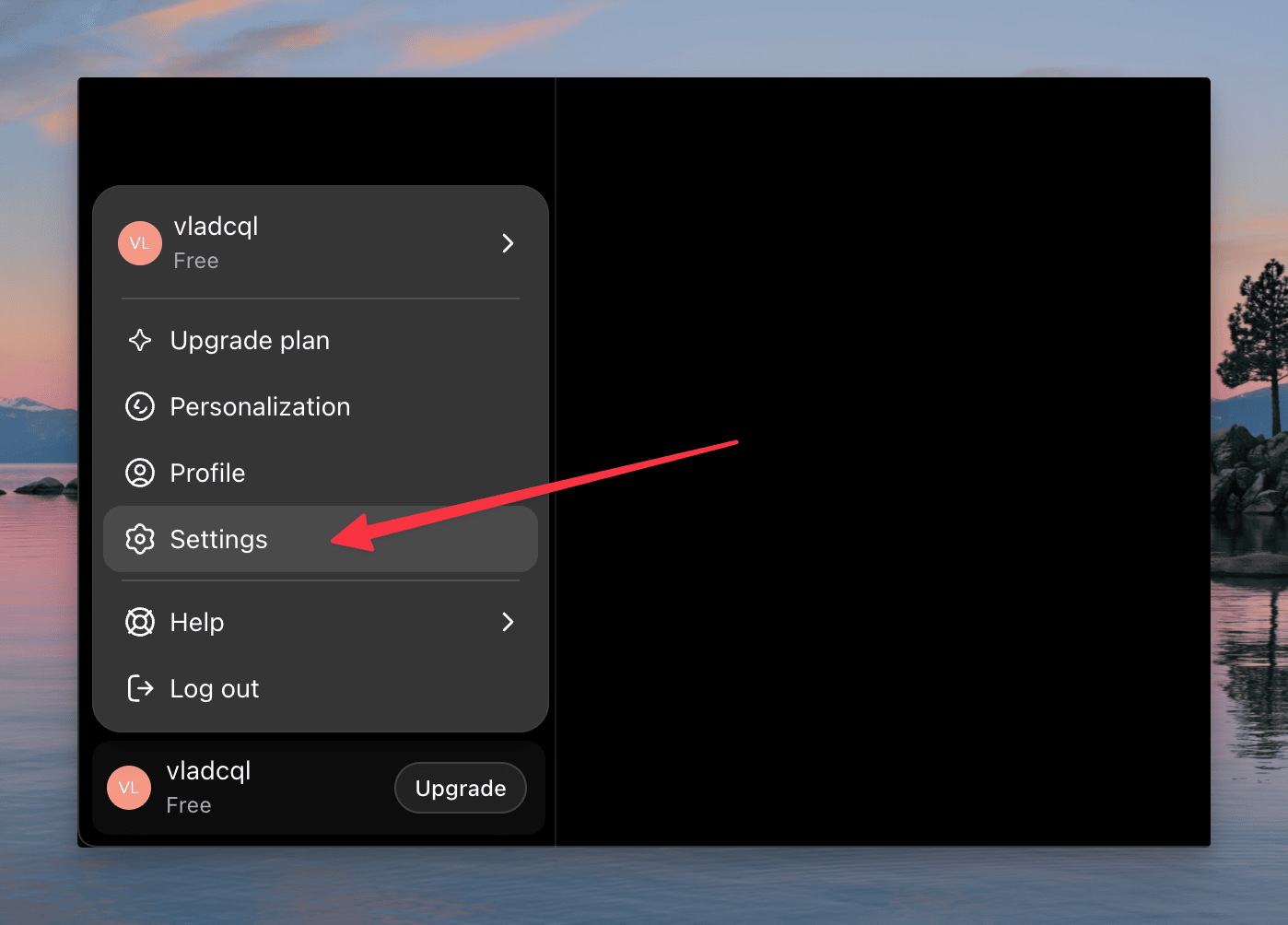
- Open Settings: In the bottom-left corner of the ChatGPT interface, click your profile name/icon and select Settings.
- Enable Developer Mode:
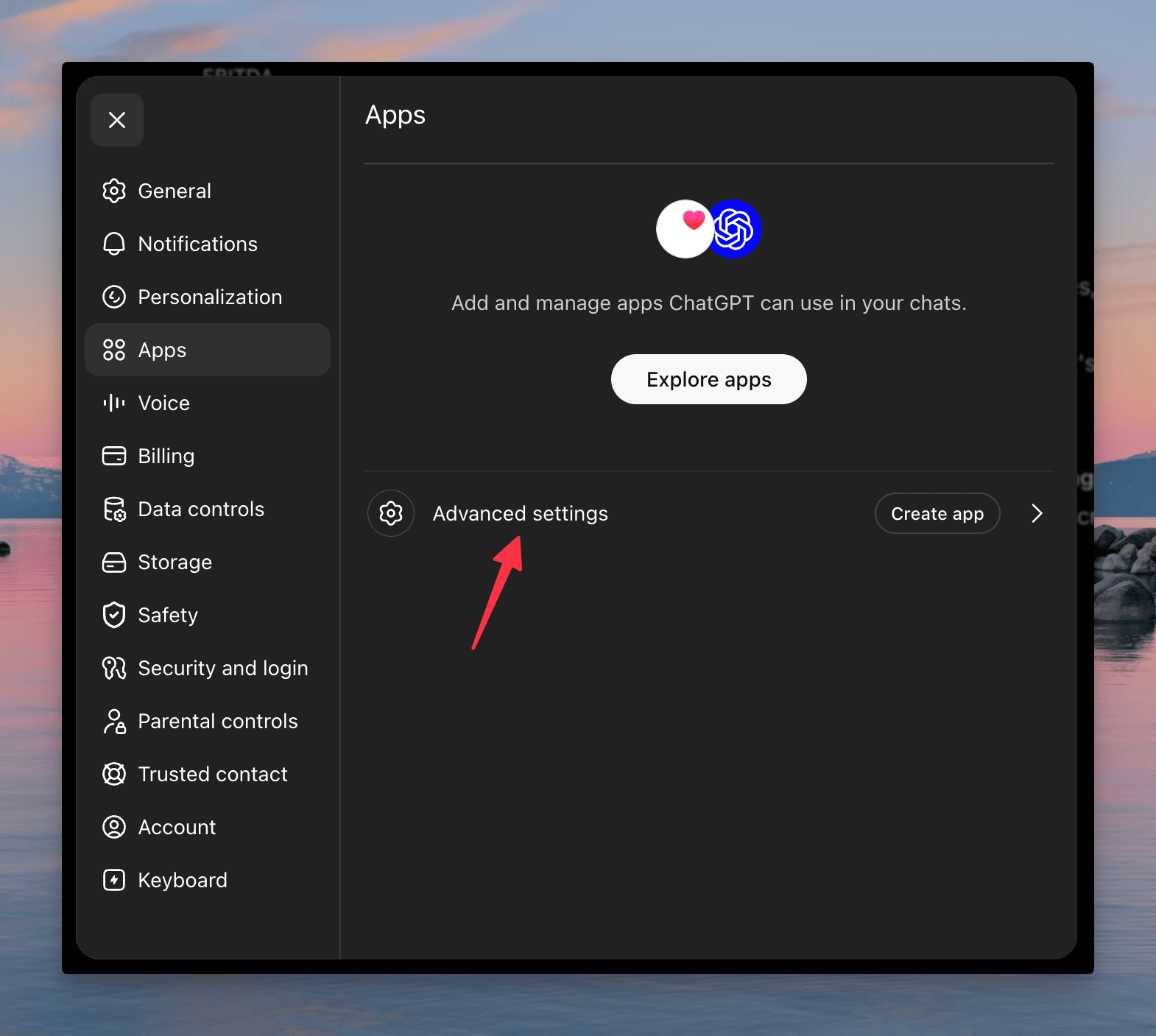
- Navigate to the Apps tab in the left sidebar.
- Click Advanced settings.
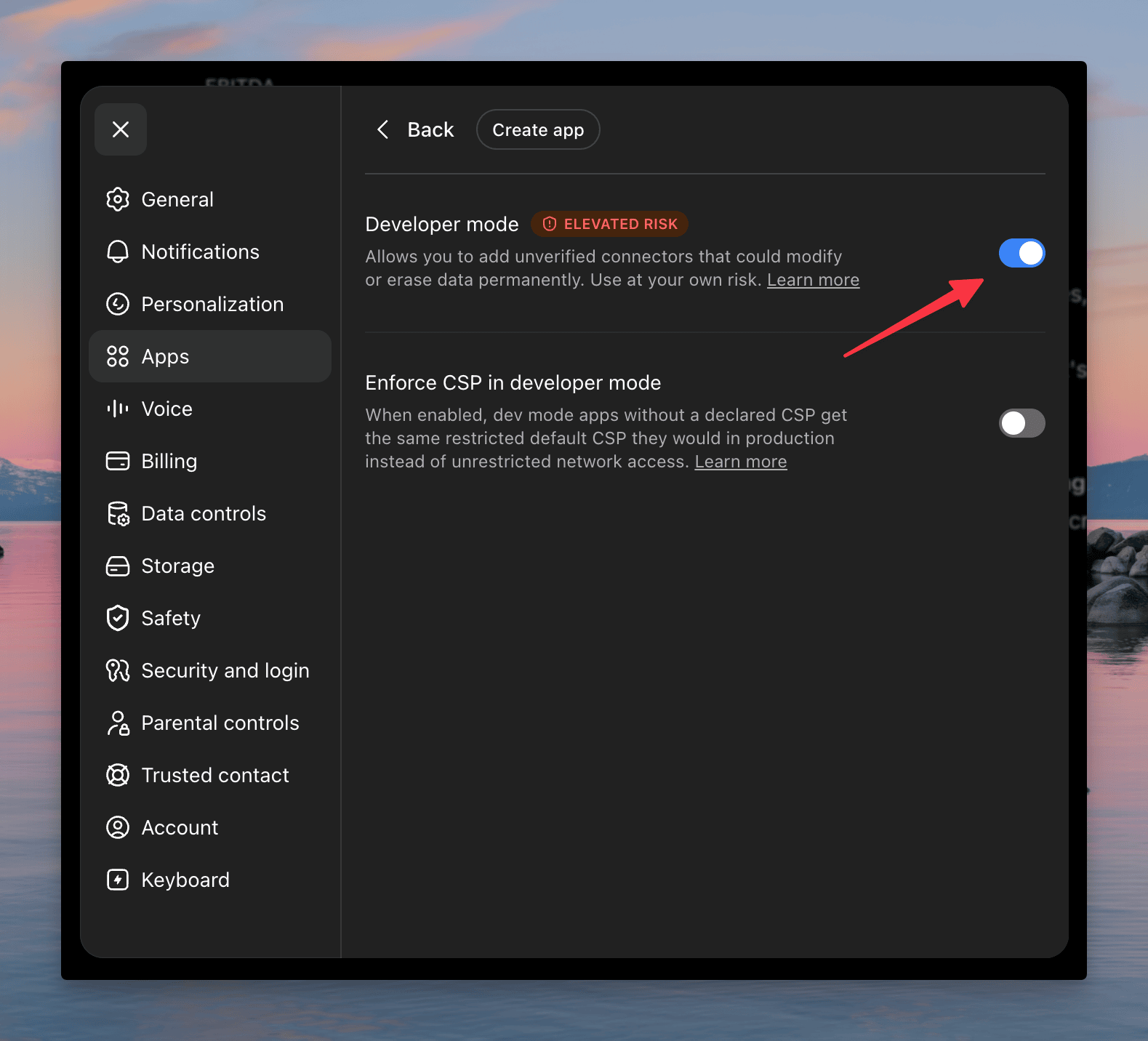
- Toggle Developer mode to the ON position.
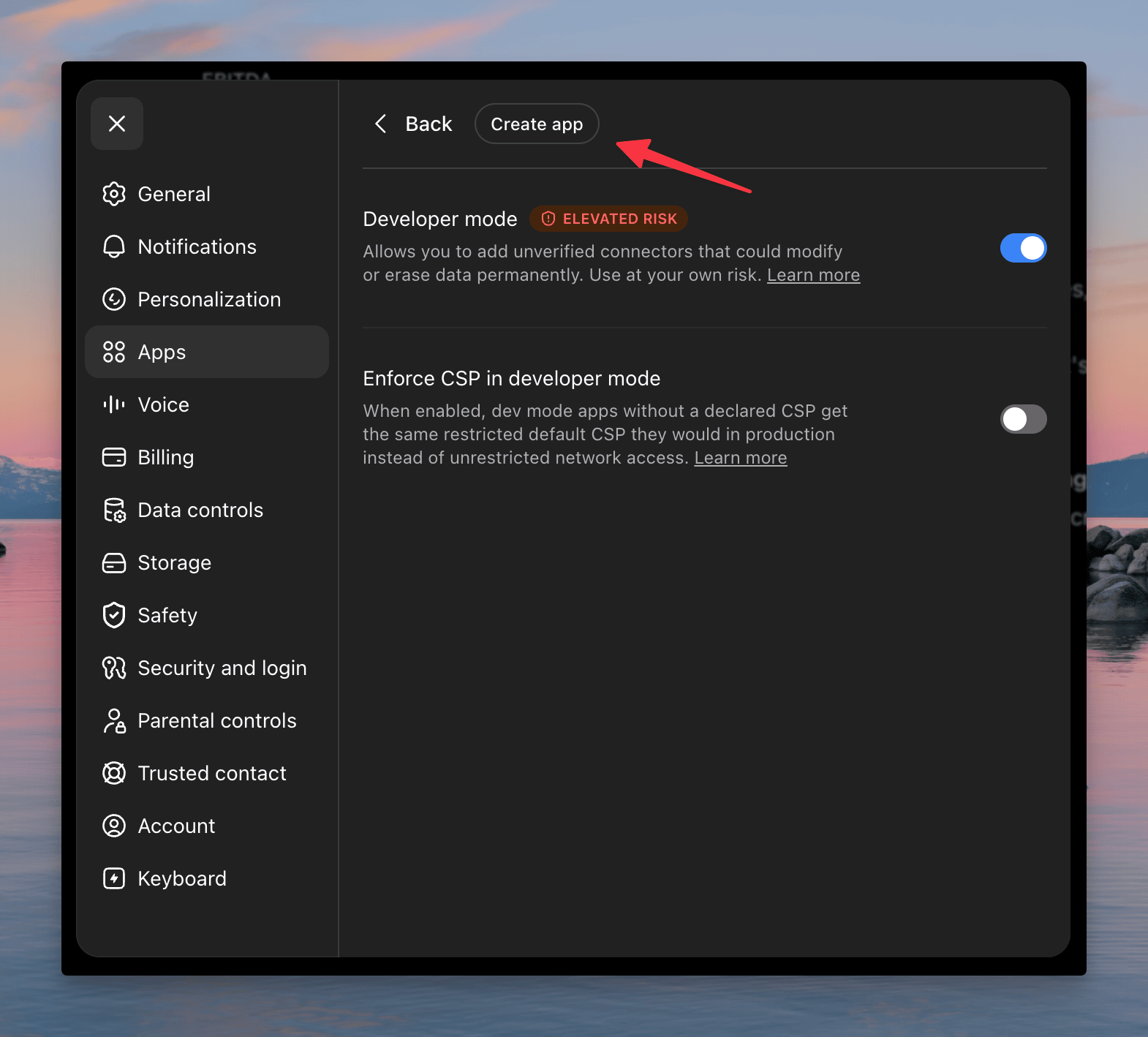
- Create a New App: Click Create to open the New App configuration window.
- Fill in the App Details: In the New App window, enter:
- Name: Roic AI
- Description: (Optional) leave blank or type "Roic AI".
- Connection: make sure the Server URL option is selected.
- URL: enter exactly
https://mcp.roic.ai/mcp
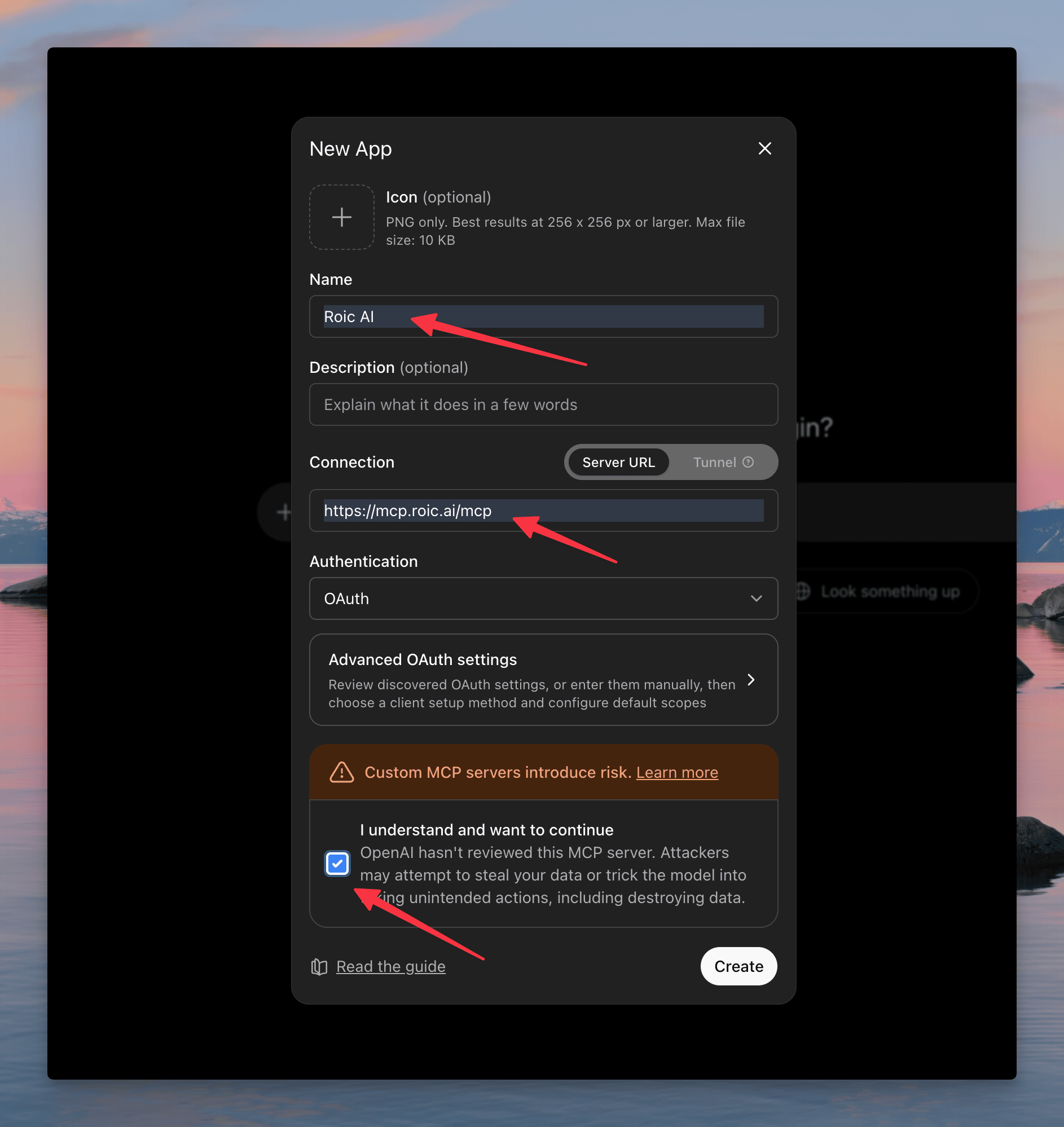
- Acknowledge and Create: Scroll down, check the box "I understand and want to continue" to accept the custom MCP server warning, and click Create.
Phase 2: Authentication
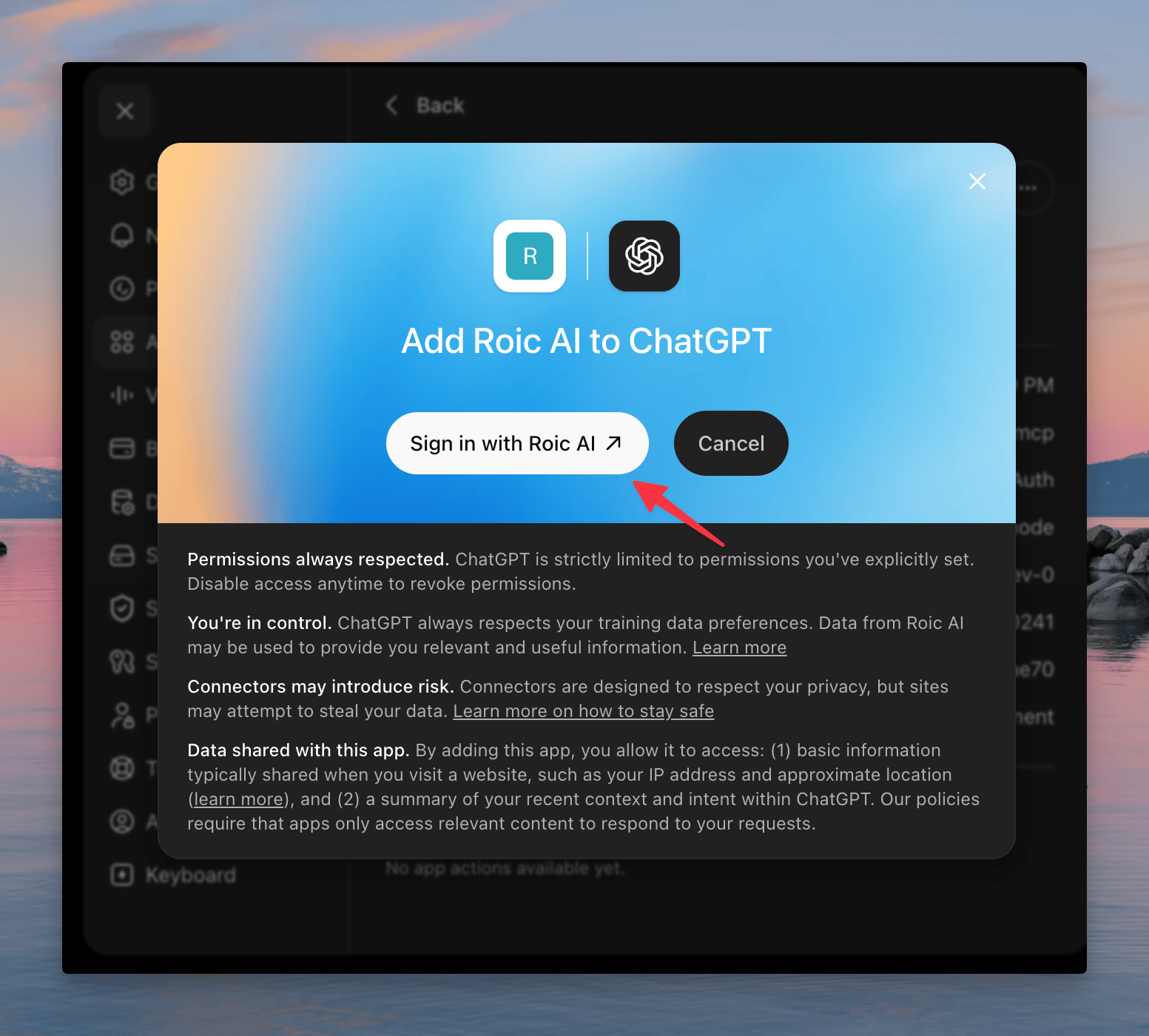
- Sign In: A modal appears asking to "Add Roic AI to ChatGPT." Click Sign in with Roic AI.
-
Authorize: A new browser tab opens to handle authentication with Roic AI. Once complete, it redirects you back to ChatGPT automatically.
-
Confirmation: A green notification at the top confirms "Roic AI is now connected." You can safely close the settings menu.
Phase 3: Using Roic AI in Chat
-
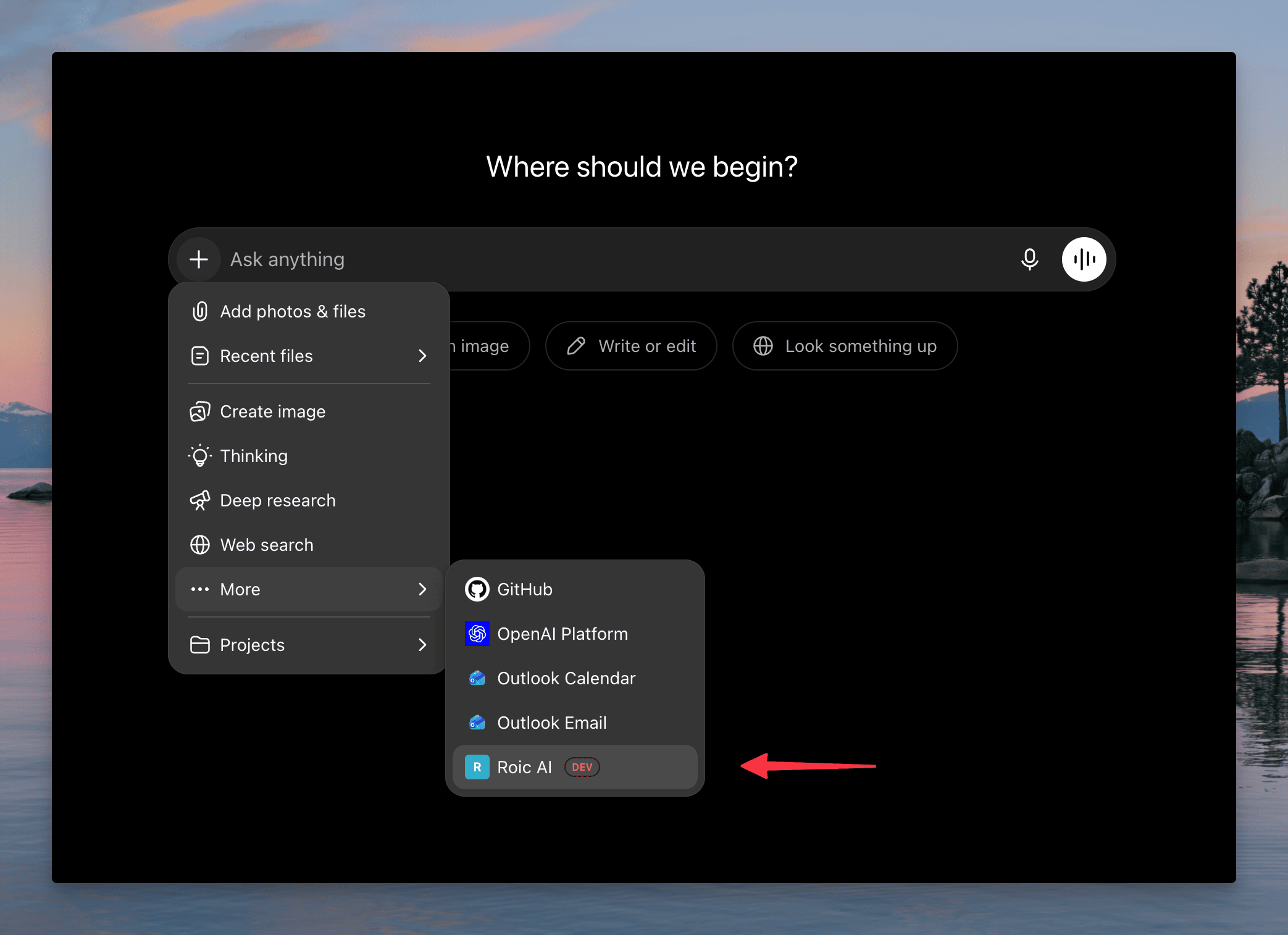
Attach the Tool: Open a new chat. Next to the message input box, click the
+(Add) icon. -
Select Roic AI: Hover over More, then select Roic AI from the list of available tools.
- Prompt: Type your financial query (e.g., "give me the summary of microsoft income statement 2024 using roic") and press send. ChatGPT will use the Roic AI tool to fetch and format the data.
Claude Code (CLI)
Run this command in your terminal:
claude mcp add --transport http roicai https://mcp.roic.ai/mcpVerify the server is connected:
claude mcp listClaude
Phase 1: Accessing Connectors
- Open Claude and log into your account.
- In the bottom-left corner, click your profile name/icon to open the menu.
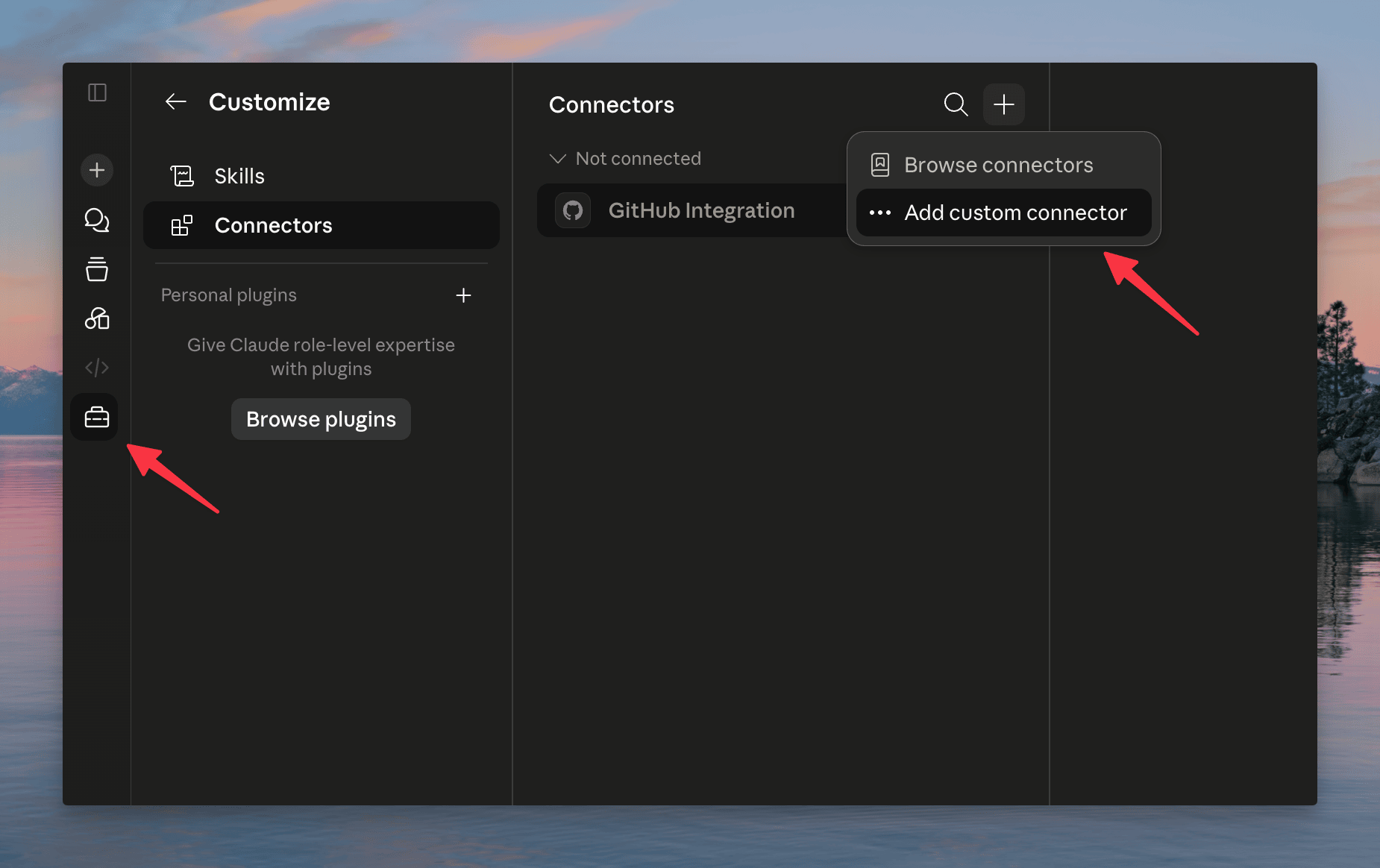
- Select Customize.
- In the Customize menu, select Connectors from the left-hand sidebar.
- Click Add custom connector (or the
+icon if you already have connectors).
Phase 2: Configuring the Connector
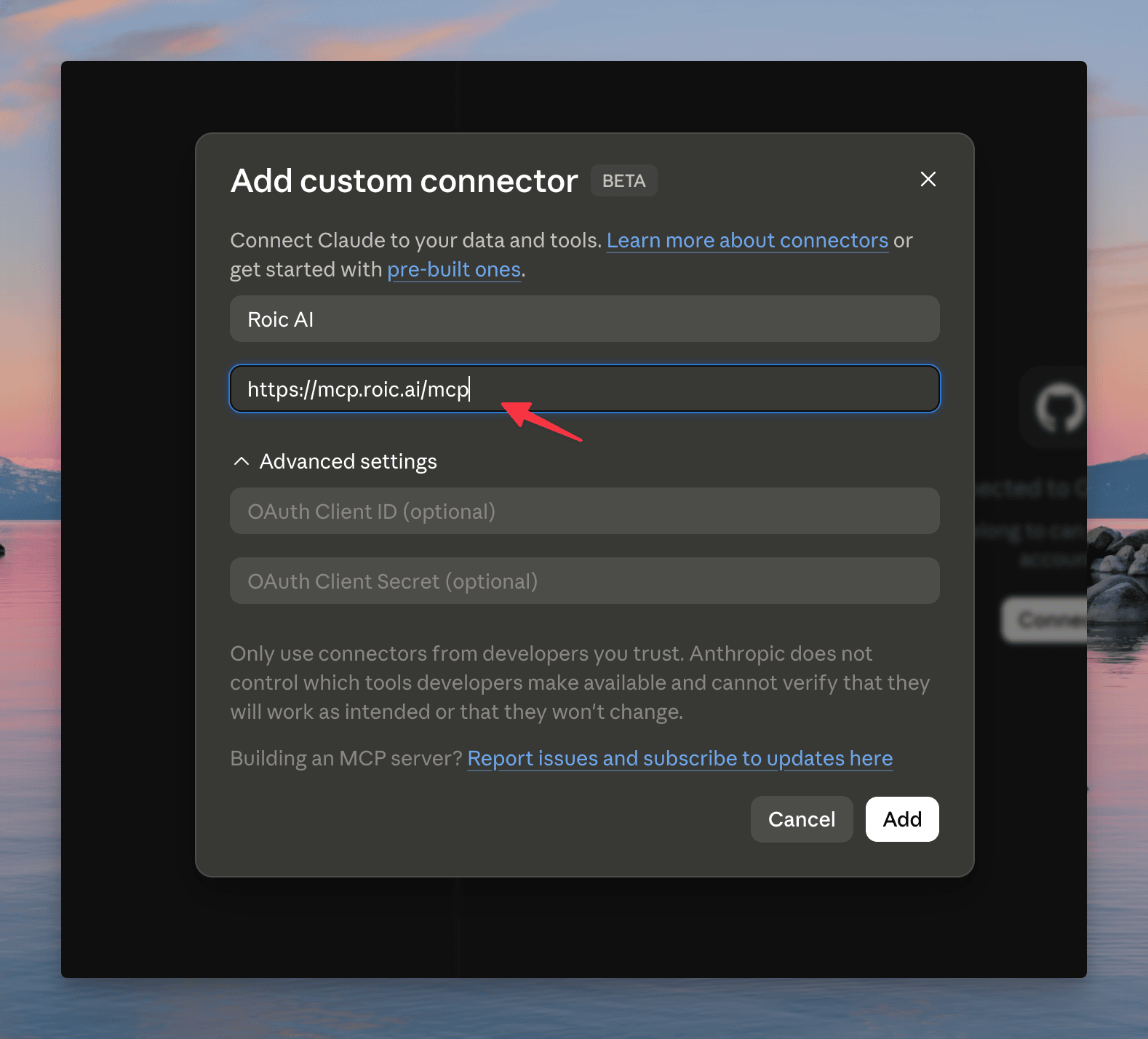
- A modal titled "Add custom connector BETA" appears. Fill in the details:
- Name: enter "Roic AI" (or a name of your choice).
- Remote MCP server URL: enter exactly
https://mcp.roic.ai/mcp
- Click the Add button.
- Claude performs a "Checking connection..." step.
Phase 3: Authentication and Permissions
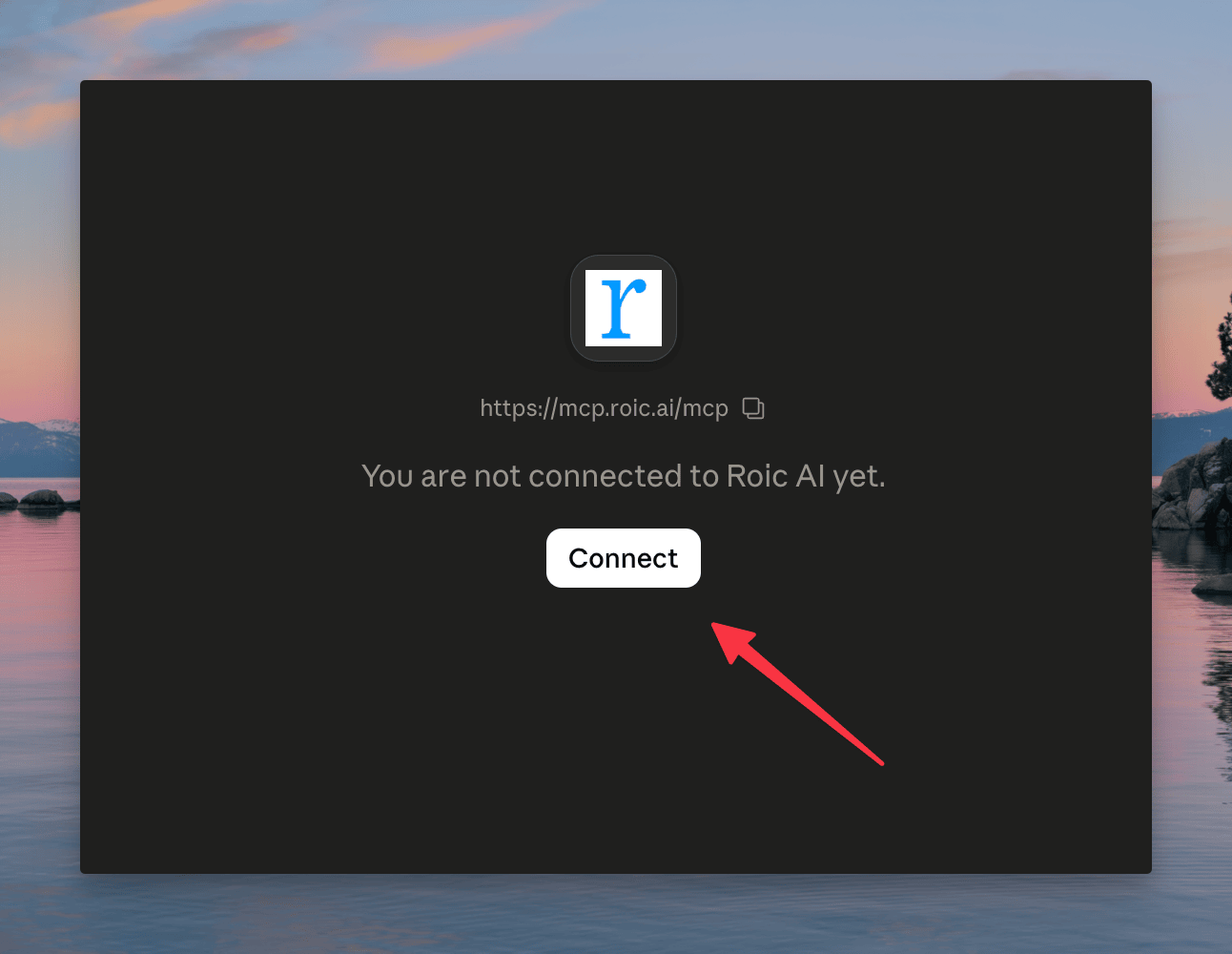
- Once the connection is checked, click the Connect button below the Roic AI icon.
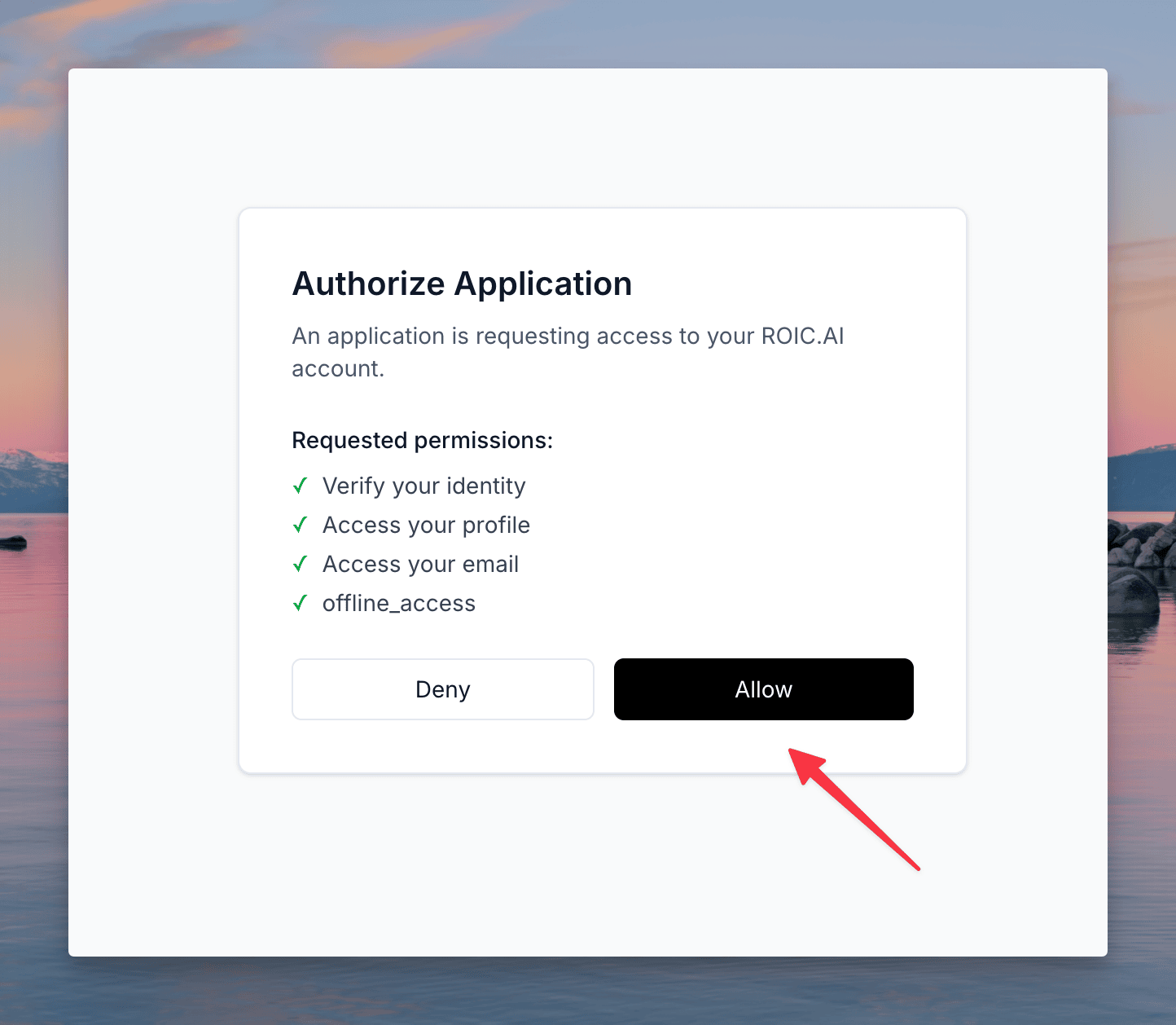
- A browser window opens asking to "Authorize Application" for Roic AI. Click Allow.
- You are redirected back to the Connectors page in Claude, which should now show a green checkmark and "Connected to Roic AI".
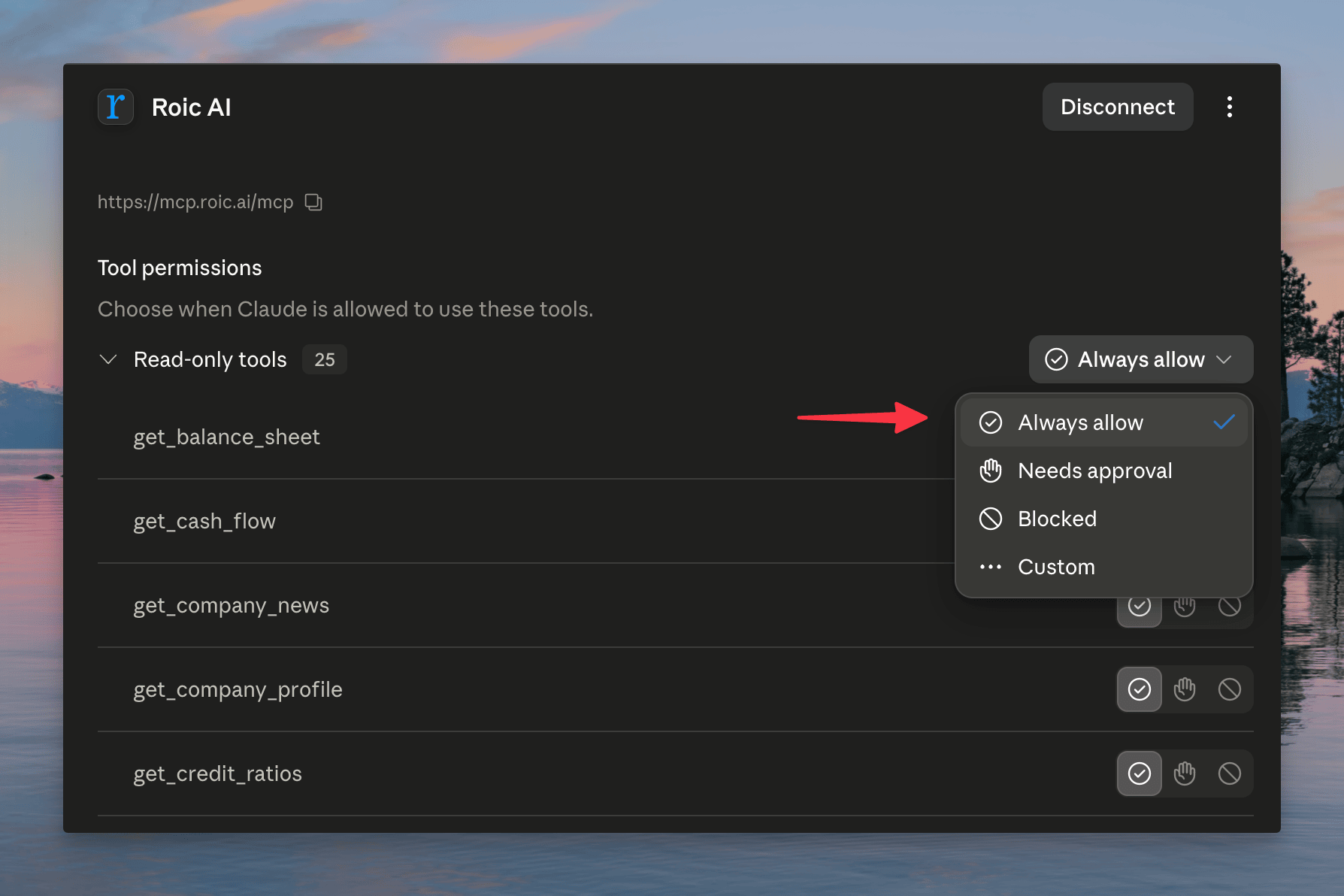
- Review the Tool permissions listed. By default it may be set to "Needs approval." You can change this (e.g., to "Always allow") depending on how you want Claude to access the tools.
Phase 4: Using the Integration
- Start a New chat in Claude.
- Ensure the connector is active (you may need to click the
+icon in the chat bar and verify the connector is selected). - Type your query, such as "microsoft company profile".
- Claude processes your request using the integrated Roic AI tools to fetch the relevant financial data.
VS Code
-
Open the Command Palette (
Cmd+Shift+Pon Mac,Ctrl+Shift+Pon Windows) -
Search for MCP: Add Server and select it
-
Choose HTTP as the transport type
-
Enter the server URL:
https://mcp.roic.ai/mcp-
Give the server a name (e.g.,
roicai) and press Enter -
VS Code will open your browser to log in and authorize
OpenAI Codex
Use the CLI:
codex mcp add roicai --url https://mcp.roic.ai/mcpOr add to your Codex configuration file (~/.codex/config.toml):
[mcp_servers.roicai]
url = "https://mcp.roic.ai/mcp"Manual Configuration (JSON)
For any MCP client that supports JSON configuration:
{
  "mcpServers": {
    "roicai": {
      "url": "https://mcp.roic.ai/mcp",
      "transport": "http"
    }
  }
}Self-Hosted (Open Source)
Prefer to self-host? The server is open source on GitHub at roicai/mcp-server and runs with one command:
ROIC_API_KEY=your_key npx @roicai/mcp-serverThis option runs locally over stdio and authenticates with a REST API key instead of OAuth, so it works with any MCP client and is easy to run in scripts and CI.
Add it to Claude Desktop, Cursor, or any client that takes a command-based MCP server:
{
  "mcpServers": {
    "roicai": {
      "command": "npx",
      "args": ["-y", "@roicai/mcp-server"],
      "env": { "ROIC_API_KEY": "your_key" }
    }
  }
}Get a free API key from your ROIC.ai dashboard, then star the repo to follow updates: github.com/roicai/mcp-server.
Available Tools
The MCP server provides 36 read-only tools organized by category. Your AI assistant selects the relevant tools from your natural-language request, subject to your plan's access and history limits.
Tickers & Discovery
| Tool | Description |
|---|---|
search_tickers | Search by ticker |
list_tickers | List stock tickers with listing status, filterable by listed |
search_ticker_by_identifier | Look up a ticker by CIK, CUSIP, or ISIN |
Company Information
| Tool | Description |
|---|---|
get_company_profile | Detailed company profile: CEO, employees, sector, industry, description, and more |
list_employee_counts | Historical fiscal-year employee counts for public companies |
get_company_news | Recent news articles for a company with pagination and date filtering |
Earnings Calls and Calendar
| Tool | Description |
|---|---|
list_earnings_calendar | Scheduled and reported earnings with estimates, actuals, and surprises |
get_latest_earnings_call | Most recent earnings call transcript |
list_earnings_calls | List all available earnings calls (year, quarter, date) |
get_earnings_call_transcript | Get a specific transcript by year and quarter |
Stock Prices and Splits
| Tool | Description |
|---|---|
get_stock_prices | Historical OHLCV price data with date range filtering |
get_latest_stock_price | Most recent stock price |
list_latest_stock_prices | Latest daily quote for every ticker, filterable by exchange |
list_stock_splits | Market-wide or per-ticker forward and reverse stock-split events |
Financial Statements
| Tool | Description |
|---|---|
get_income_statement | Revenue, gross profit, operating income, net income, EPS, EBITDA, margins |
get_balance_sheet | Assets, liabilities, equity, shares outstanding, debt levels |
get_cash_flow | Operating, investing, financing cash flows, CapEx, free cash flow |
Financial Ratios
| Tool | Description |
|---|---|
get_profitability_ratios | ROE, ROA, ROIC, margins, effective tax rate, payout ratio |
get_credit_ratios | Debt/EBITDA, debt/equity, interest coverage |
get_liquidity_ratios | Current ratio, quick ratio, cash ratio, Altman Z-Score |
get_working_capital_ratios | Receivable/inventory/payable turnover, cash conversion cycle |
get_yield_analysis | FCF yield, shareholder yield, capital yield |
Valuation & Metrics
| Tool | Description |
|---|---|
get_enterprise_value | Market cap, enterprise value, EV/Sales, EV/EBITDA |
get_valuation_multiples | P/E, P/B, P/S, P/CF, EV multiples (last/avg/high/low) |
get_per_share_data | EPS, revenue, EBITDA, book value, cash flow per share |
Reference Data
| Tool | Description |
|---|---|
list_exchanges | All stock exchanges with ticker counts |
get_exchange_trading_hours | Complete trading-session history for one exchange |
get_exchange_holidays | Holiday calendar for one exchange |
list_markets | Markets with country codes, exchanges, and symbol counts |
list_sectors | All market sectors with ticker counts |
list_industries | All industries with ticker counts |
list_countries | All countries with ticker counts |
Forex
| Tool | Description |
|---|---|
list_forex_pairs | Currency-pair catalog with base, quote, and synthetic status |
get_forex_prices | Historical daily OHLC exchange rates for one currency pair |
get_latest_forex_price | Latest available daily exchange rate for one currency pair |
list_latest_forex_prices | Latest daily forex rate for every pair, filterable by currency |
Example Usage
Once connected, you can ask your AI assistant questions in natural language. Here are some examples:
Company Research
Tell me about Apple's business. What do they do, who's the CEO,
and how many employees do they have?The assistant will use get_company_profile to fetch Apple's full profile and summarize it for you.
Financial Analysis
Compare Microsoft and Google's profitability over the last 3 years.
Show me their margins and ROE.The assistant will call get_profitability_ratios for both companies and present a comparison.
Earnings Analysis
What did Apple's management say about AI in their latest earnings call?The assistant will use get_latest_earnings_call to fetch the transcript and extract the relevant sections.
Valuation Check
Is Tesla overvalued? Show me its P/E ratio, EV/EBITDA, and
price-to-sales compared to the last 5 years.The assistant will call get_valuation_multiples with historical data and analyze the trends.
Stock Price Trends
Show me Amazon's stock price performance for January 2025.The assistant will use get_stock_prices with date filters and present the daily price data.
Screening & Discovery
Which sectors have the most publicly traded companies?The assistant will use list_sectors to fetch the breakdown and present it.
Troubleshooting
"Invalid or expired token"
Your access token may have expired. Remove the MCP server and re-add it to trigger a fresh authentication:
# Claude Code
claude mcp remove roicai
claude mcp add --transport http roicai https://mcp.roic.ai/mcpFor VS Code: remove the server entry in MCP settings and add it again.
"Rate limit exceeded"
You see a 429 Too Many Requests error when you exceed your plan's per-minute request limit (5/min on the free tier). Wait for the window to reset, or upgrade your plan for a higher limit.
Connection Issues
- Verify the server is reachable: visit
https://mcp.roic.ai/healthin your browser - Make sure you're using the full URL:
https://mcp.roic.ai/mcp - Check that your AI client supports HTTP transport for MCP