Connect Roic AI to ChatGPT
Ask ChatGPT about any public company and get real numbers back: income statements, balance sheets, valuation ratios, stock prices, and earnings calls. This guide connects ChatGPT to Roic AI's financial data in about two minutes.
No coding. No API keys. No spreadsheets. You just follow a few clicks, and ChatGPT can pull live data for over 60,000 companies.
Plans and limits
Every plan can use ChatGPT with all of Roic AI's data across every public company. Plans differ only in how fast you can ask (rate limit) and how far back the history goes.
| Plan | Requests / minute | History |
|---|---|---|
| Free | 5 | 2 years |
| Individual | 300 | 5 years |
| Professional | Unlimited | All available |
| Enterprise | Unlimited | All available |
See all plans and pricing for the full comparison.
How to connect ChatGPT to financial data
Video instructions: watch the full walkthrough below, or follow the written steps.
Step 1: Open ChatGPT settings
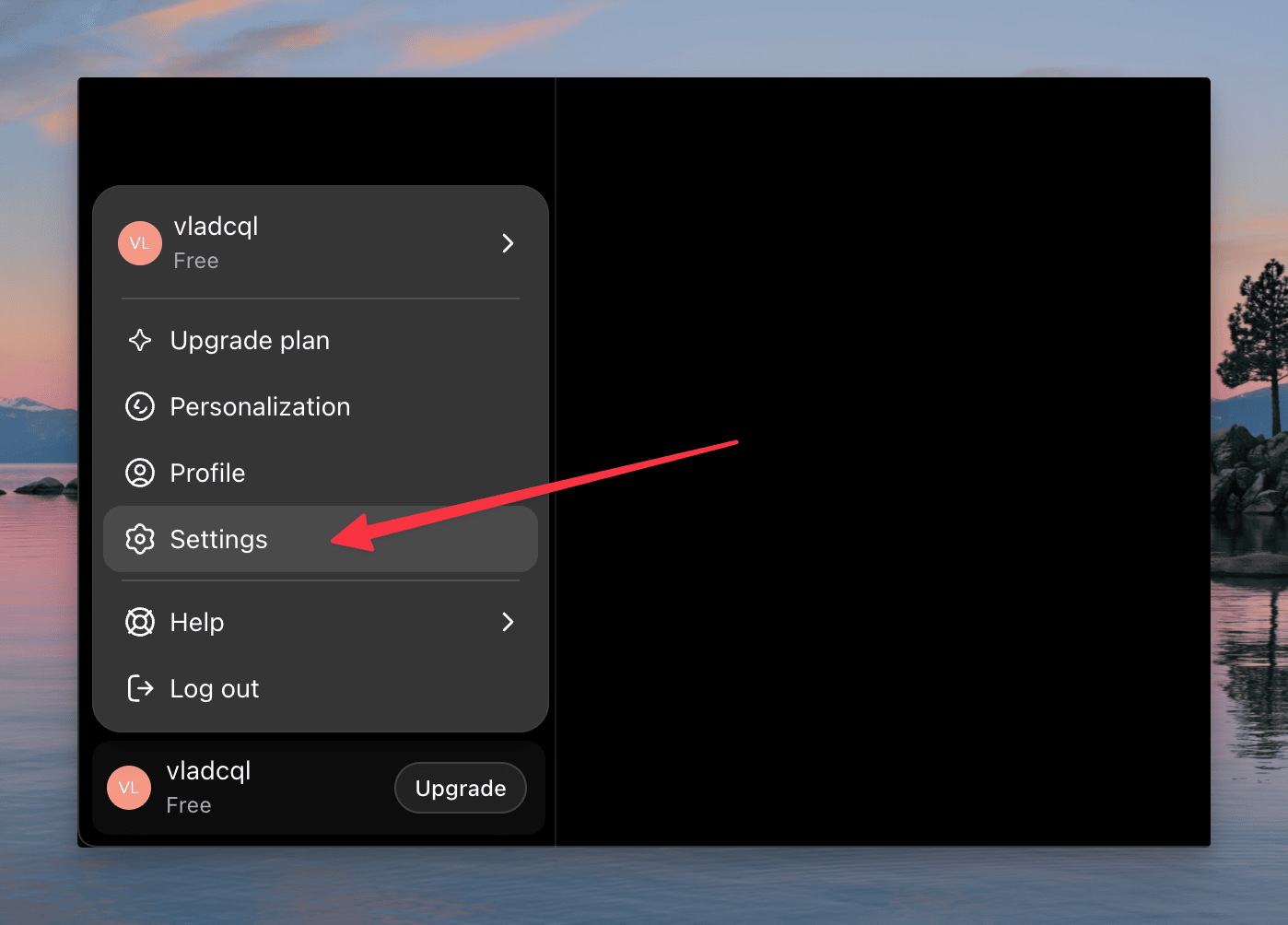
In the bottom-left corner of ChatGPT, click your name or profile picture, then choose Settings.
Step 2: Turn on Developer mode
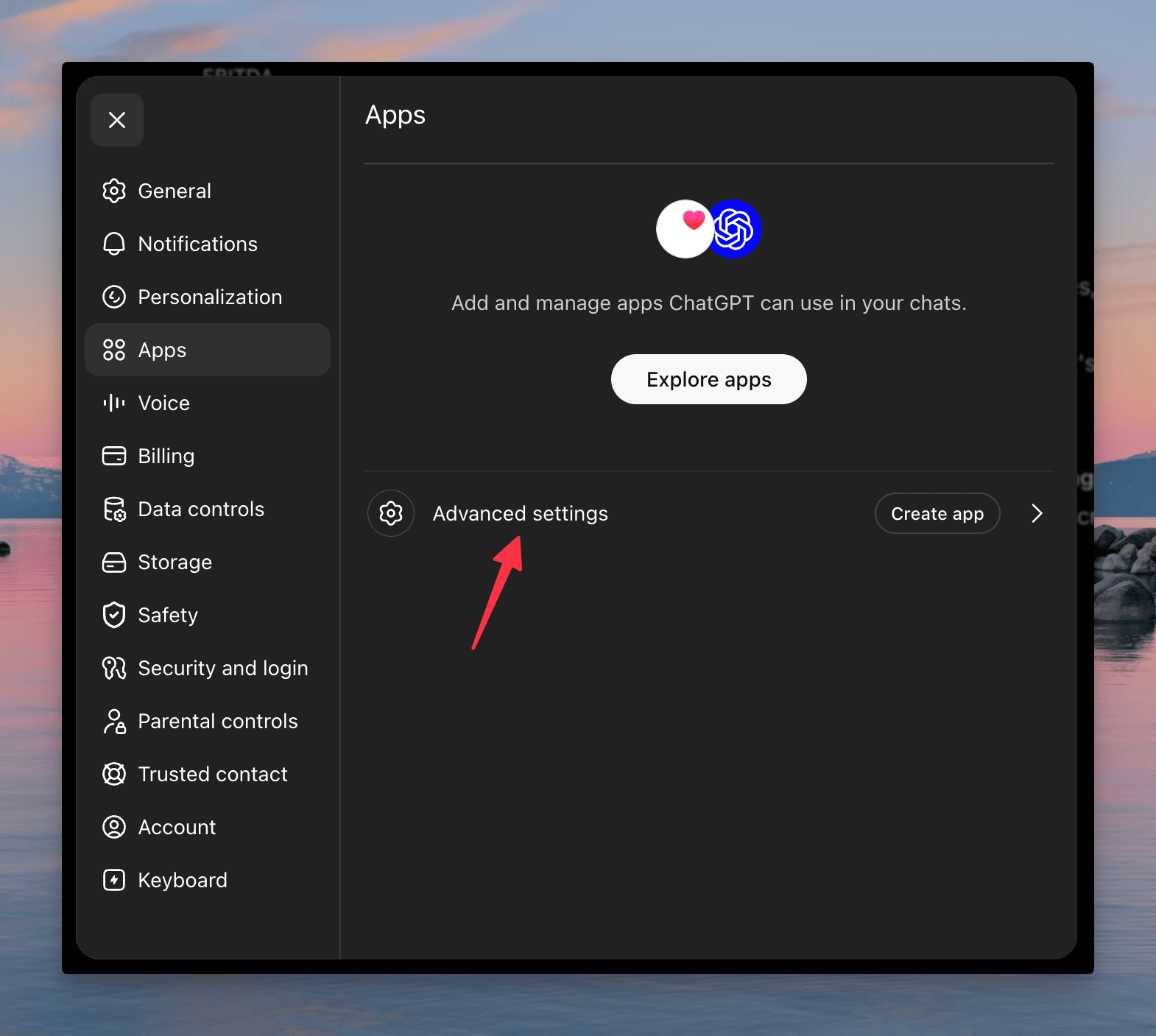
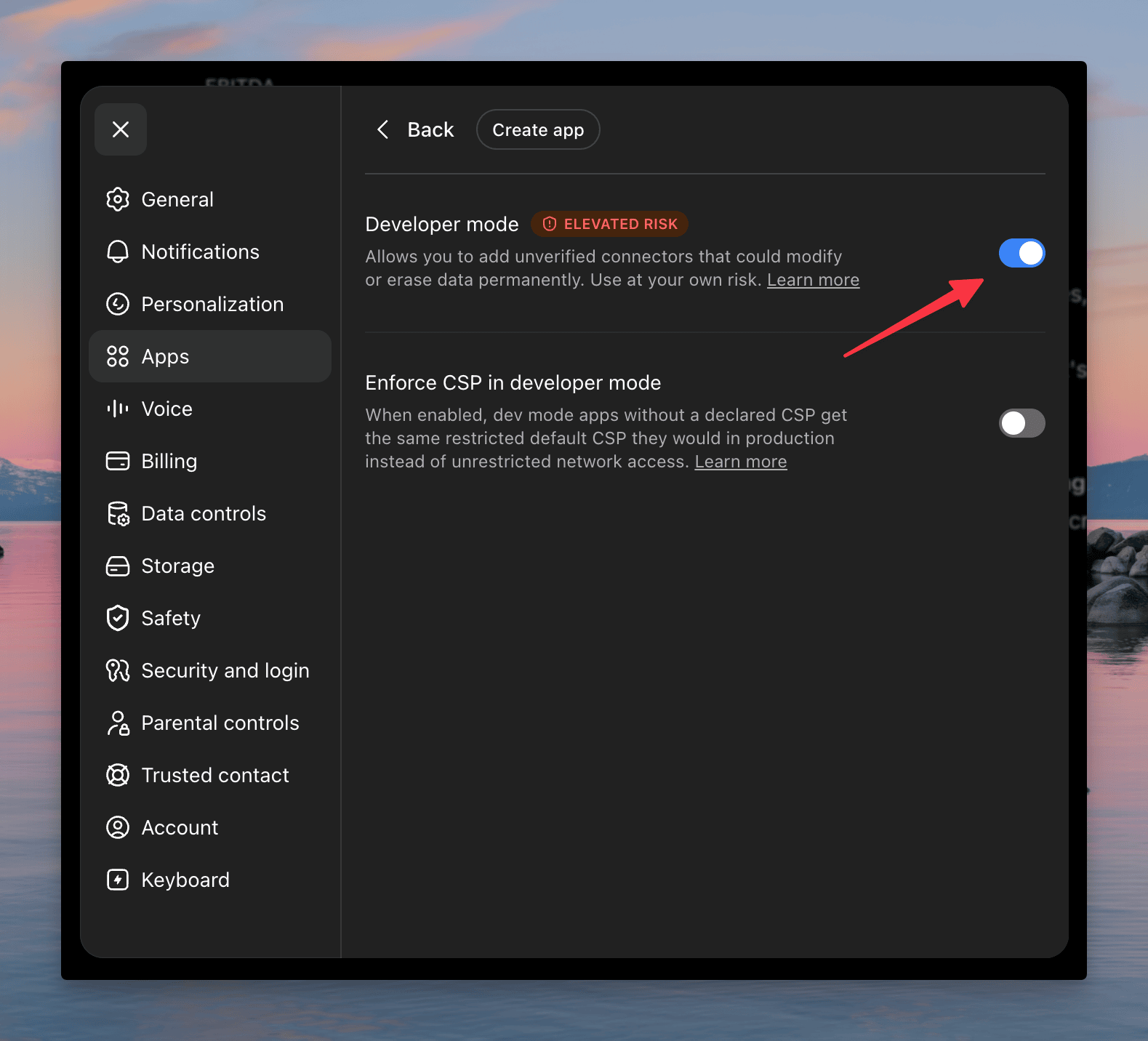
Open the Apps tab on the left, click Advanced settings, and switch Developer mode to ON.
Step 3: Create a new app
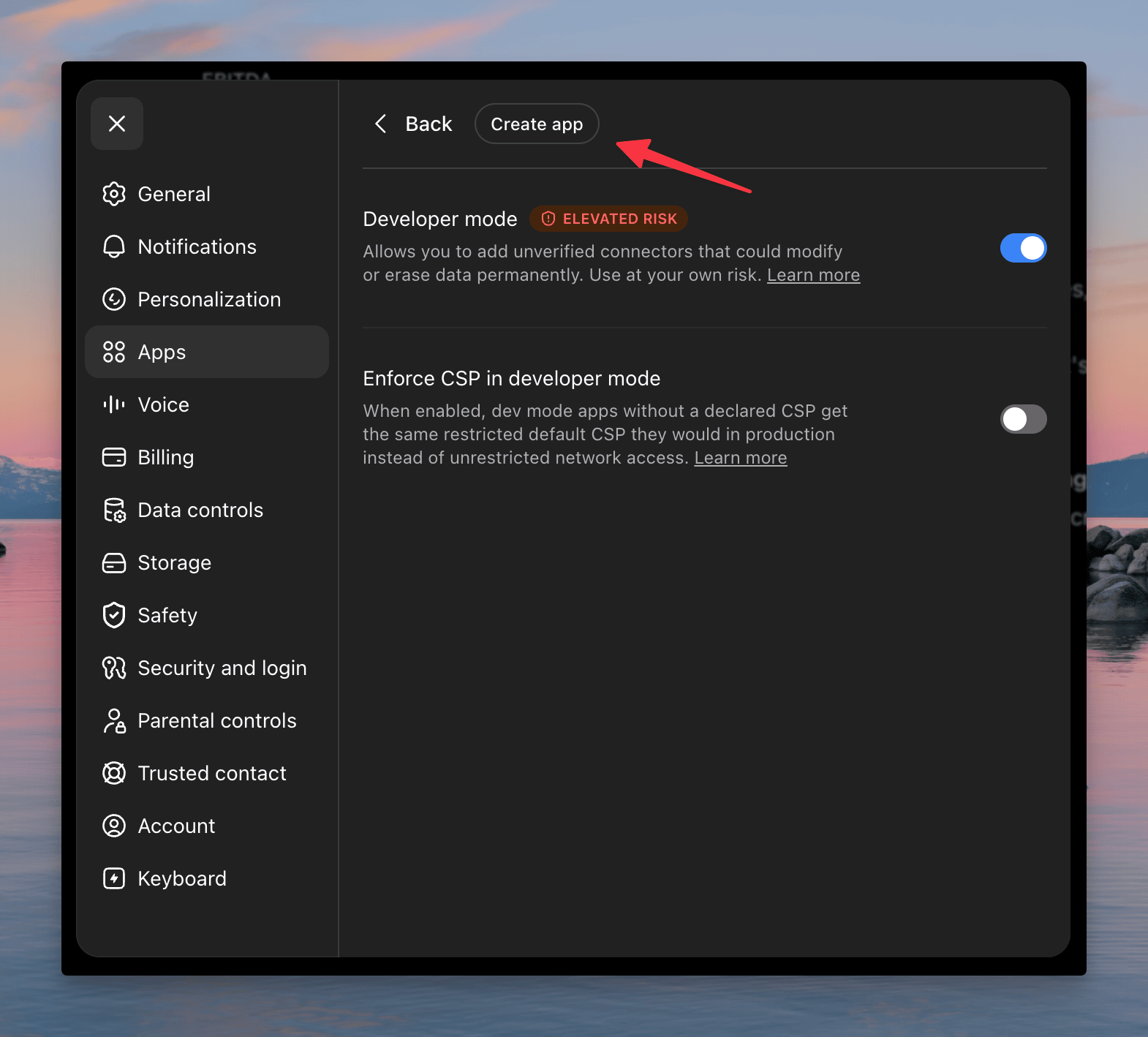
Click Create to open the new app window.
Step 4: Fill in the Roic AI details
In the new app window, enter:
- Name: Roic AI
- Description: (optional) leave blank, or type "Roic AI".
- Connection: make sure Server URL is selected.
- URL: paste exactly
https://mcp.roic.ai/mcp
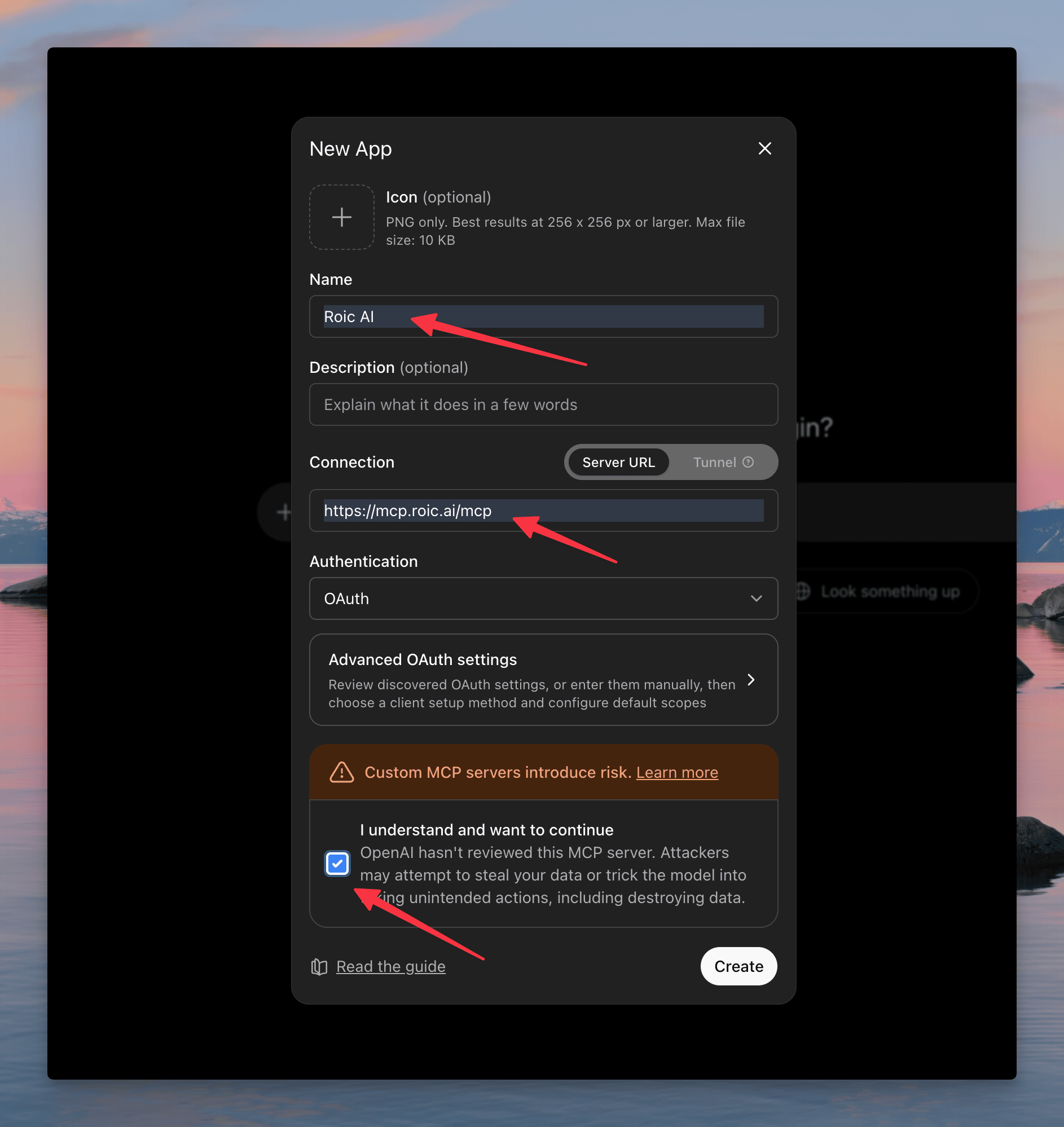
Scroll down, tick the box "I understand and want to continue," and click Create.
Step 5: Sign in with Roic AI
A box appears asking to add Roic AI to ChatGPT. Click Sign in with Roic AI. A browser tab opens, you log in (or sign up), and it sends you straight back to ChatGPT.
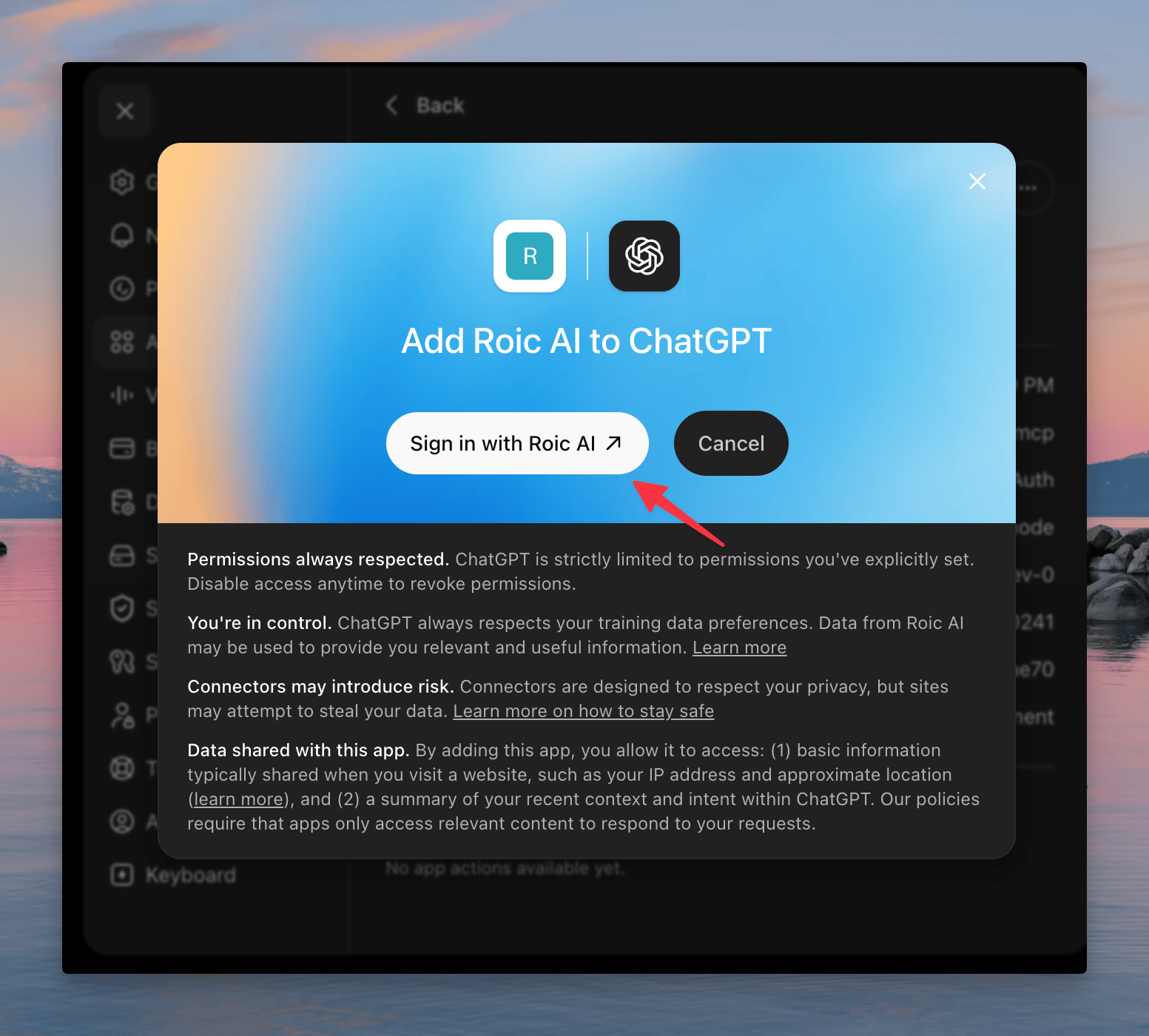
When you see a green "Roic AI is now connected" message, you're done. You can close settings.
Step 6: Use it in a chat
Start a new chat. Next to the message box, click the + icon, hover More, and pick Roic AI.
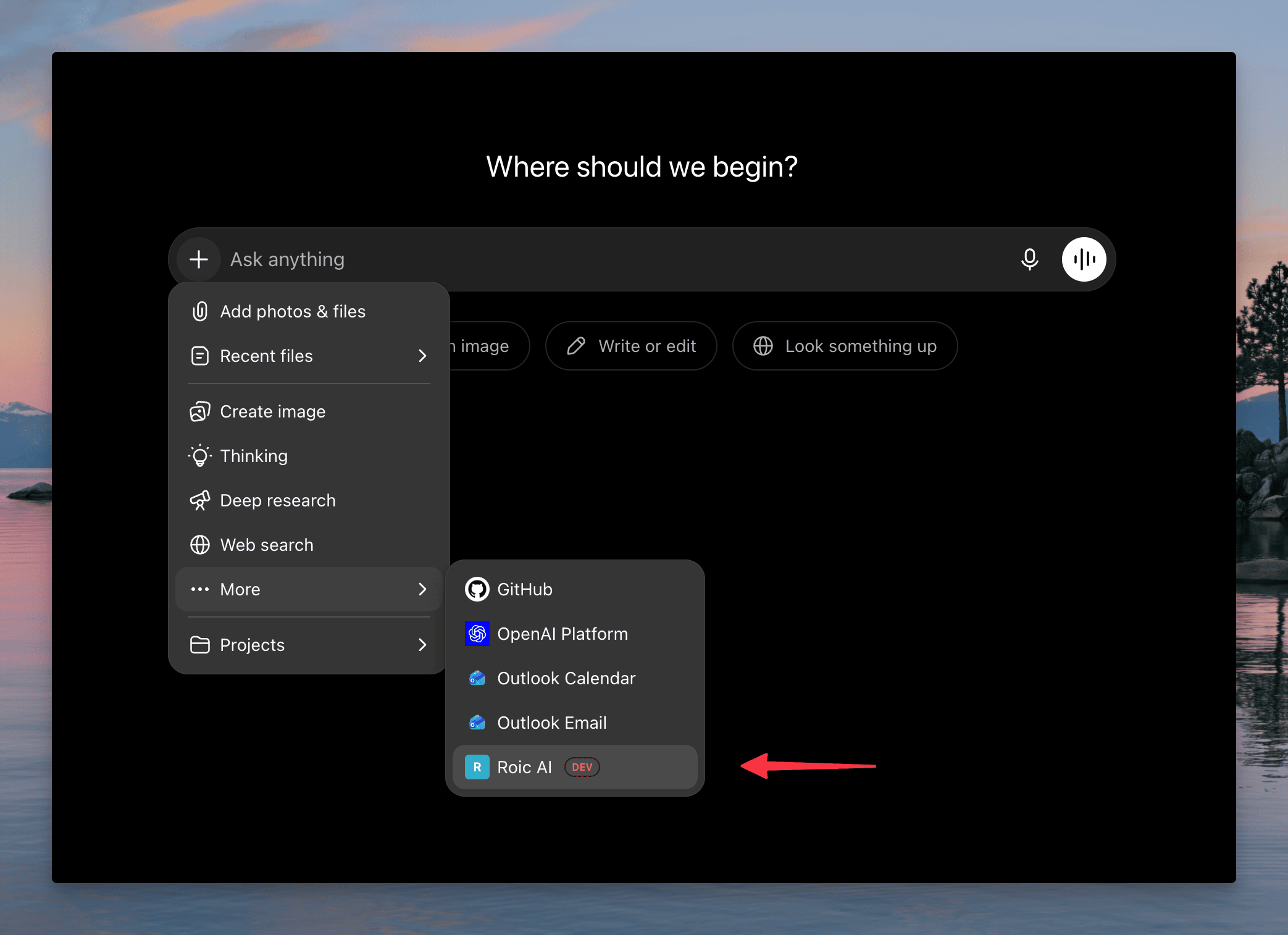
Now type a question like "give me a summary of Microsoft's 2024 income statement using Roic" and send. ChatGPT pulls the real numbers and lays them out for you.
Try these prompts
Copy any of these into ChatGPT once it's connected:
Tell me about Apple's business: what they do, who the CEO is,
and how many people they employ.Compare Microsoft and Google's profit margins and ROE
over the last three years.What did Tesla's management say about margins in their
latest earnings call?Is Nvidia expensive right now? Show its P/E and EV/EBITDA
versus the last five years.Show me Amazon's stock price through January 2025.Troubleshooting
ChatGPT says it can't connect
Make sure the URL is exactly https://mcp.roic.ai/mcp with no extra spaces. You can also open https://mcp.roic.ai/health in your browser to confirm the service is up.
"Invalid or expired token"
Your sign-in may have expired. Remove the Roic AI app in ChatGPT's Developer mode settings, then add it again to sign in fresh.
ChatGPT didn't use the data
In the chat, click the + icon and confirm Roic AI is selected. If it still doesn't, ask directly: "using Roic, get Apple's latest income statement."
"Rate limit exceeded"
You asked more questions per minute than your plan allows (5/min on the free tier). Wait a moment and try again, or upgrade your plan for a higher limit.